The Visit Itinerary form allows you to document travel, entertainment, and dining activities related to this visit. This is how an administrator can configure this feature.
Navigation: ADMINISTRATION > ITINERARY
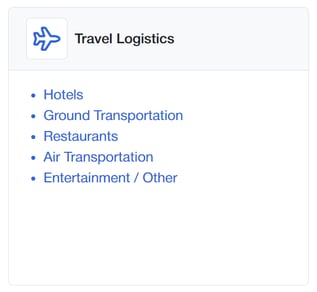
Select the section to edit
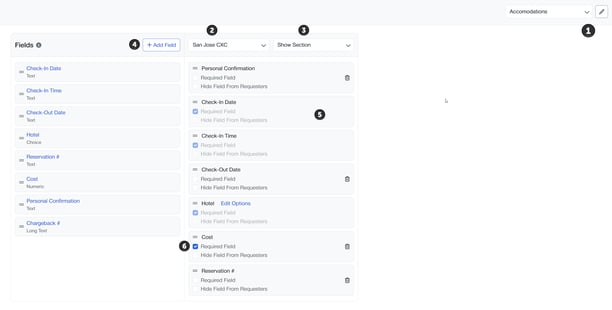
1. Choose the type of Itinerary Item; you can edit the label by clicking the pencil, editing the text and saving.
2. Select the SITE you are setting up
3. Determine if this type of itinerary items is displayed
4. Edit or create questions in the library section. The possible options are Text, Long Text, Numeric and Section Header
5. Drag and drop them to the right hand column
6. Indicate if the field is visible or required
7. Activate the Request Form Section to the right visibility to expose these options to being completed.
To add the section items, click on the EDIT OPTIONS
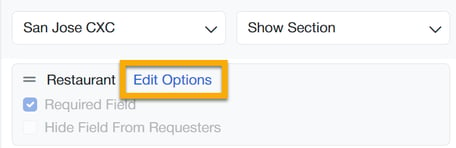
1. Click Edit Options to review the current option. Toggle on or off each item. To edit each item, click on the name of the item.
2. To create new, click + Add Provider
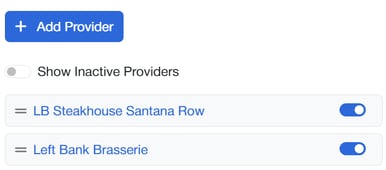
3. Update and save the form
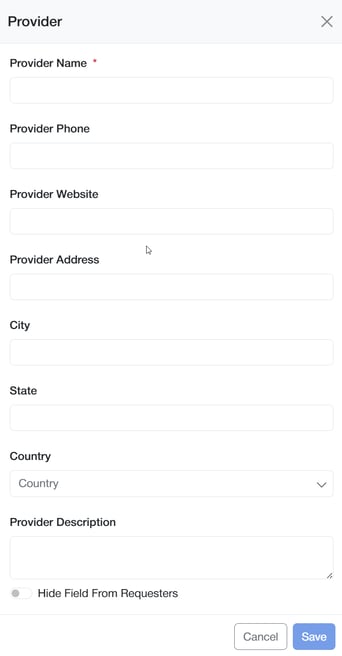
4. Under the site - you can rearrange the questions by dragging the = on the right of the item.