
Global Settings lets you define system terminology and system settings that apply to your entire instance of Nexus Scheduler, across all sites and visit types.
7 Minute Video going through each section and option.
Edit Global Settings
The global settings screen is organized into several sections.

Edit Global Settings - System Terminology
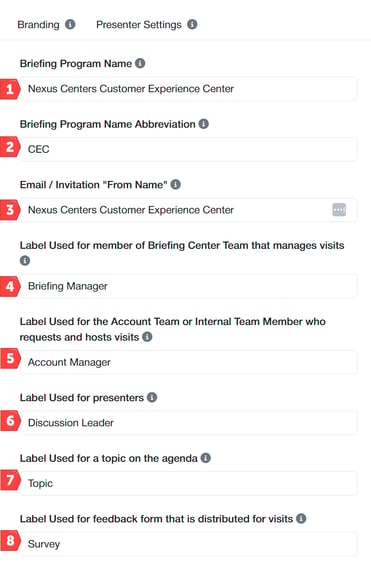
- This is the full name of your Briefing Program. e.g., 'Nexus Scheduler Executive Briefing Program'.
- This is the acronym or abbreviated name for your Briefing Program. e.g., 'EBC', 'CVC', etc.
- The From Name displayed in your inbox to indicate who the email was sent from.
- Term for Nexus Scheduler users who will be managing incoming visit requests but who are not system administrators. e.g., 'Coordinator', 'Briefing Manager', 'Visit Consultant', etc.
- Term for Nexus Scheduler users who will be requesting, owning, or hosting visits. e.g., 'Meeting Owner', 'Requester', 'Account Manager', etc.
- Term for people who will be presenting agenda items. e.g., 'Presenter', 'Speaker', 'Discussion Leader', etc.
- Term for items that appear on an agenda. e.g., 'Topic', 'Discussion Topic', 'Agenda Item', etc.
- Term for visit or presenter surveys that can be distributed to visit attendees. e.g., 'Survey', 'Feedback Form', 'Evaluation', etc.
Edit Global Settings - Account Manager Settings
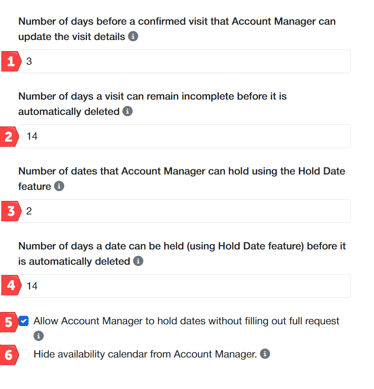
- The cutoff period for Account Managers to update information in the request form, such as attendees, itinerary activities, etc.
- Since incomplete visits hold a room in the center, this setting determines how long a visit can remain incomplete and tie up resources before it is automatically deleted.
- Since hold dates tie up resources in the center, this setting determines how many dates a requester can hold simultaneously without completing the request form.
- Since hold dates hold a room in the center, this setting determines how long a date can be held and tie up resources before it is automatically deleted.
- Allow Account Managers to temporarily hold a date and a room without completing the full request form.
- Hide the Availability calendar menu item from Account Managers.
Edit Global Settings - Reporting
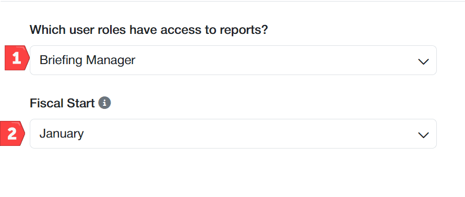
- Control which user access levels can run Nexus Scheduler reports. Options are Briefing Manager or Only Administrators. Note that Administrators have access to reports regardless of this setting.
- Reports can group data by calendar year or fiscal year. Select the month that starts your fiscal year.
Edit External Survey Results Link
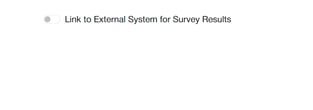
- Control the URL for Survey Results
Edit Global Settings - Confidential
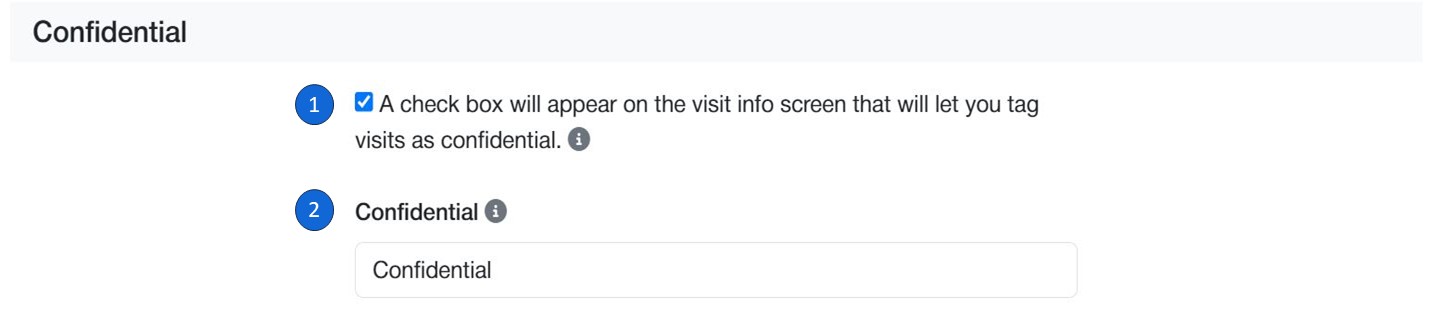
- Include a check box in the visit request form to mark a visit as confidential and hide the visit name from calendars, reports, and other areas of Nexus Scheduler .
- This is the label that will be shown in calendar and reports instead of the visit name for confidential visits (e.g., Private or Confidential).
****************************************************************************
MISCELLANOUS
-
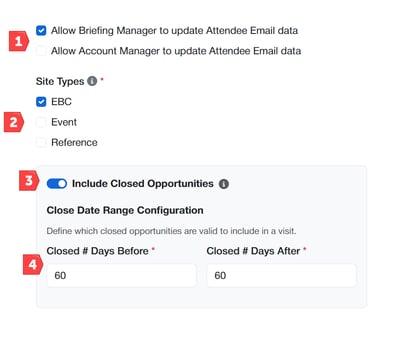
Decision on who can update the email address of an attendee
- Site Type (Defined by Nexus)
- Closed Opportunity - Toggle feature
- Closed Opportunity - Date Range
*************************************************************************
Branding
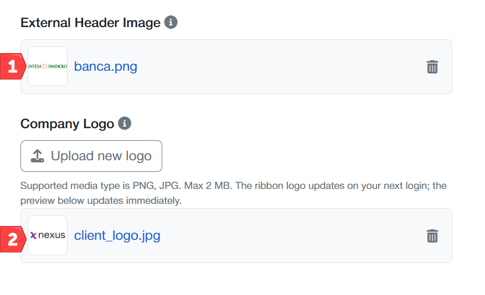
- Load a logo that will display only in the EXTERNAL REQUEST FORM
- Change the left hand logo across your organization
*************************************************************************
Presenter/Discussion Leader
-
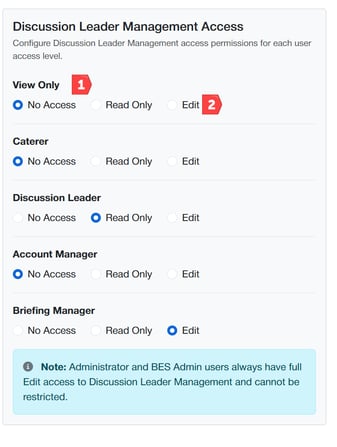
Discussion Leaders moved out of admin to platform visibility. Determine what audience has access to these records.
-
Determine what level of access is granted to each audience cohort.